Treatment plan

Treatment plan

Here you will find parts of your care plan: the care needs, problemDescription, indication assessment, and the explanation of the care plan.
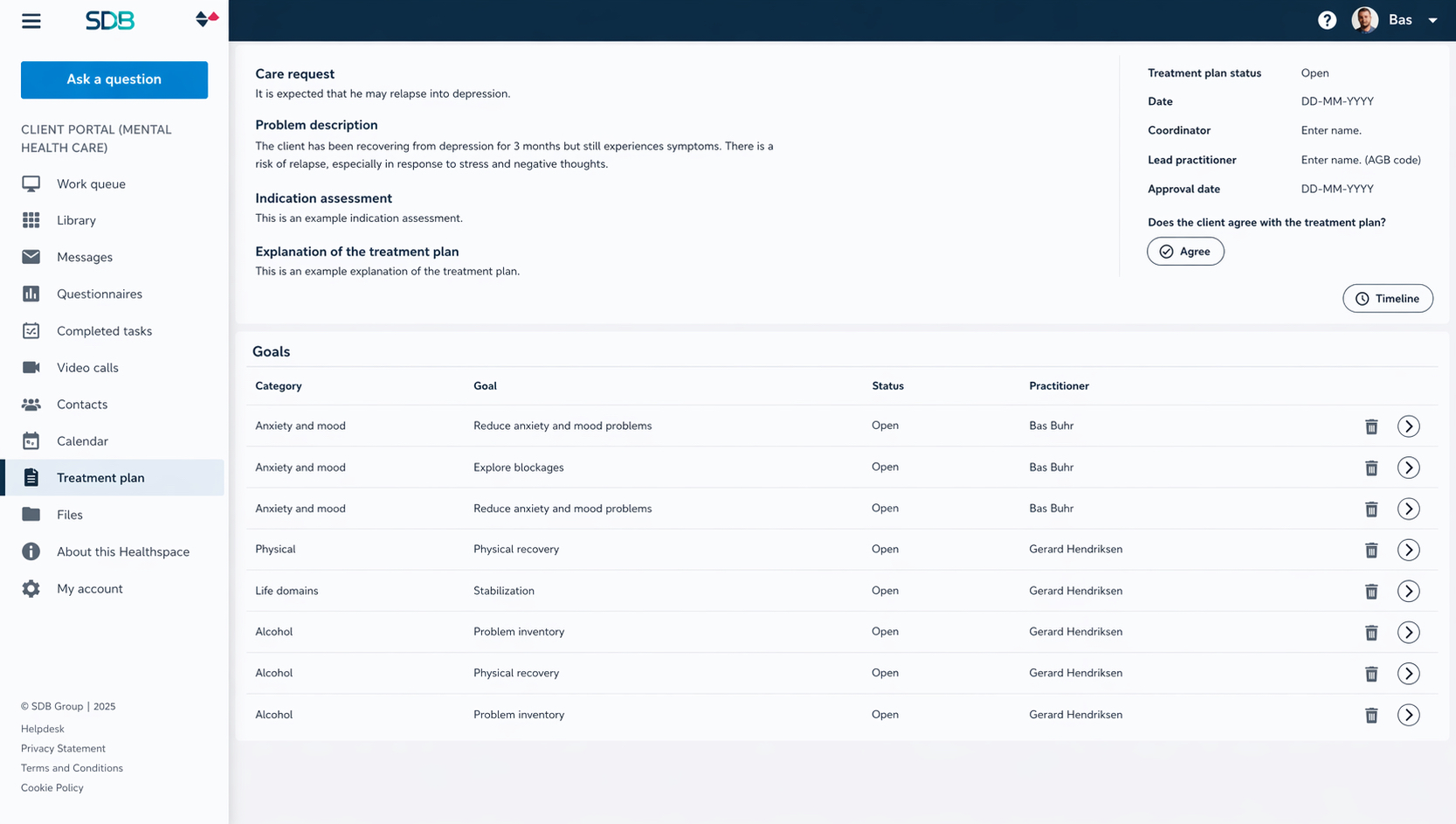


In addition, the treatment managers, the status of the plan, the creation date, and optionally the date of finalization are visible. As long as the plan has not yet been approved, you can add and/or remove goals at the highest level. Once you have approved the care plan, modifications are no longer possible.

    • Related Articles

    • Online treatment

      How can you schedule an online assignment or treatment for your patient? Schedule an online assignment or treatment module Click Clients to go to the patient record. Click the name of the patient to open the record. Click the plus (+) sign on the ...
    • Online assignments or treatment

      In Karify you can treat your clients online. You can schedule loose assignments or a complete treatment module for your clients. Your clients see these assignments on their Workspace in Karify, where they can read and make the assignment. Scheduling ...
    • Online treatment

      In Karify, your clinician can provide you with online assignments. These assignments are available on your Dashboard. Submitted assignments are saved in your record. Assignments The available assignments can be found on the dashboard of the ...
    • How does my online treatment work?

      In Karify you can make assignments that your healthcare provider has selected for you. You find these assignments on your Dashboard. Submitted assignments you'll find back in your Record. Assignments When there are new assignments for you, you find ...
    • Do I need to pay extra for apps or treatment modules in Karify?

      Over time more apps are developed and available in Karify, such as chat, videocalls, and a Therapy Designer. Karify offers free and paid KarifyApps. You can select different providers of apps and use these in your Healthspace. Online treatment ...